
For freelancers, consultants and anyone with more than one calendar
One booking link for all your Google and Outlook calendars
Connect every Google and Microsoft account you use. Calino checks all of them, so people can only book times when you are really free.
Free plan. 14-day Standard trial, no card needed.
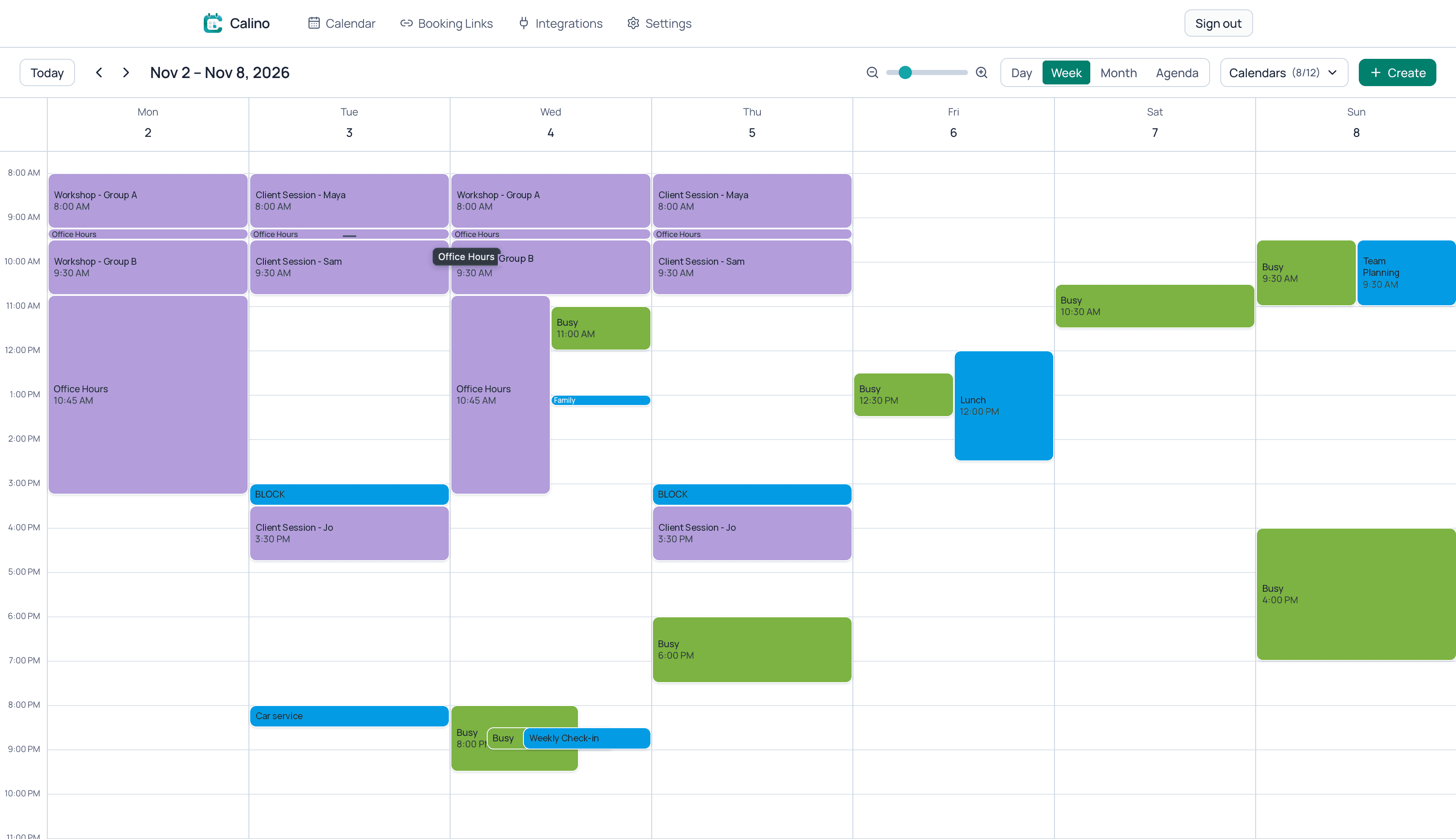
Calino is a scheduling app that brings Google Calendar and Microsoft Outlook accounts into one calendar and gives you booking links that offer only the times you are free across all of them. Meetings get a Google Meet, Zoom or Microsoft Teams link automatically.
The problem
Your calendars don't know about each other
Work on Outlook. Personal life on Google. Clients on their own calendars. Most scheduling tools look at one of them, so the others get double-booked.
Double-bookings
A meeting on your work calendar doesn't block the slot on your personal one, so two people book the same hour.
Blocking time by hand
You copy events between calendars just to look busy in the right place.
Endless back-and-forth
Without a reliable link, scheduling turns into a long email thread.
How it works
Three steps to one schedule
- 1
Connect your calendars
Add as many Google and Microsoft accounts as you use, and choose which calendars to sync.
- 2
See everything together
Events from every account show in one calendar, with two-way sync back to where they came from.
- 3
Share one booking link
Pick which calendars block your time and share a link that only offers real free times.
Features
Everything your schedule needs, in one place
Every account, one calendar
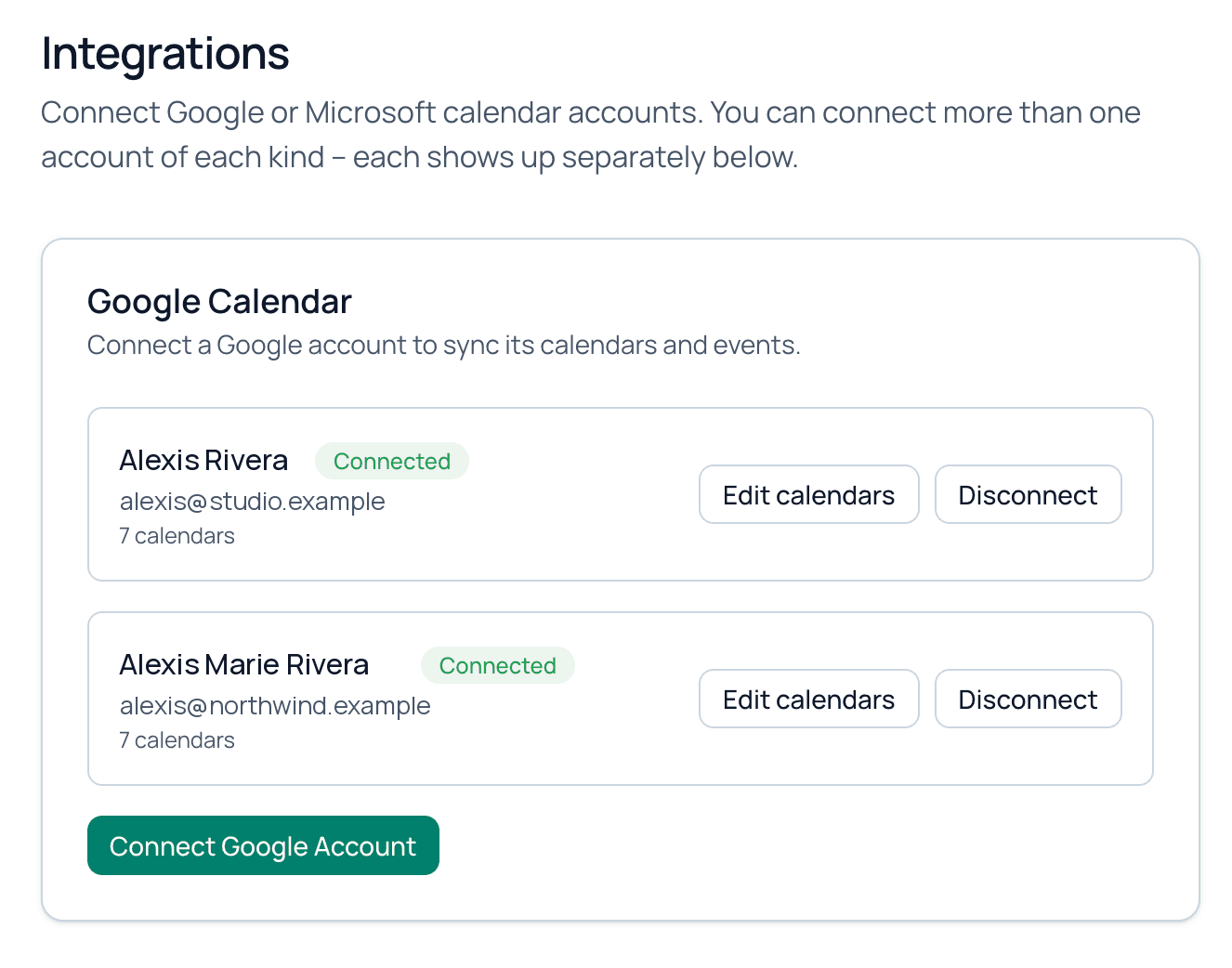
Connect several Google and Microsoft accounts side by side. Events from all of them appear in one view, and changes you make sync back to the calendar they came from.
- Multiple Google and Microsoft accounts
- Choose which calendars to sync
- Two-way sync keeps your source calendars up to date
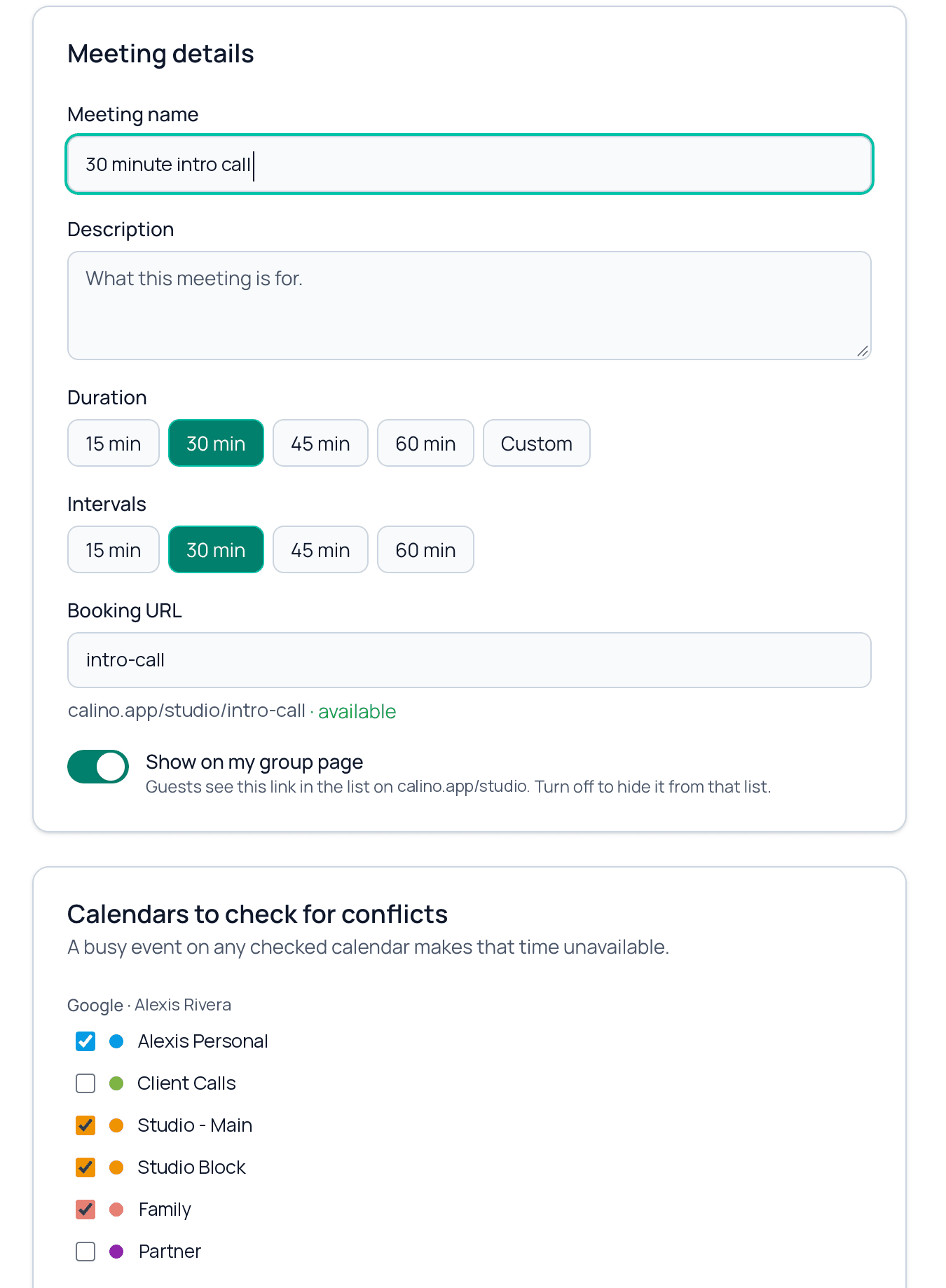
You choose which calendars block your time
Each booking link has its own set of calendars checked for conflicts. Use different combinations for client calls, interviews or office hours.
- Different calendars for every link
- Different available hours for every link
- Only busy and free times are used, never event details
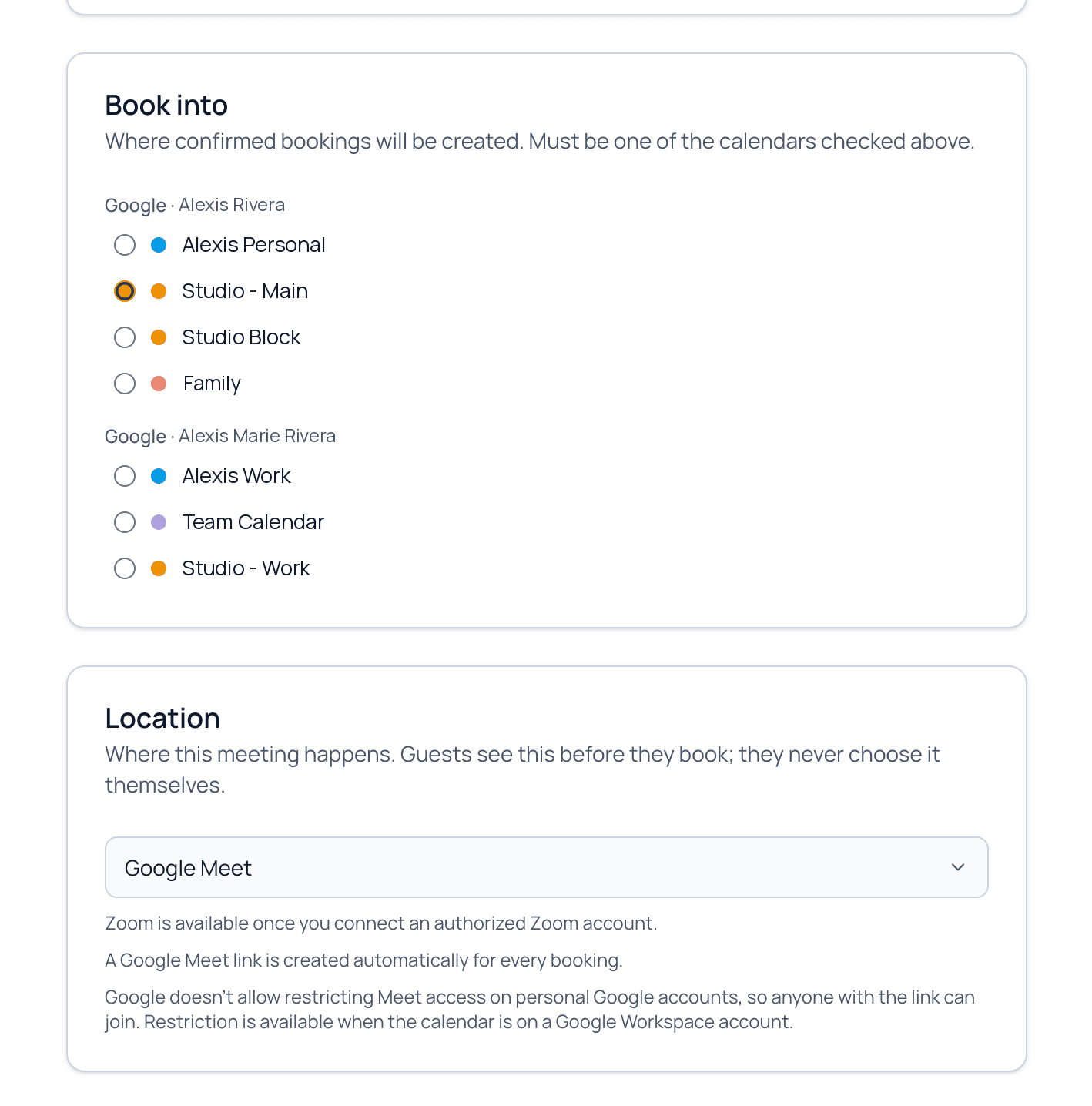
Bookings land where you want them
Pick a destination calendar for each link, separate from the calendars that block your time. Guests can cancel or reschedule with a secure link, and your calendar stays in step.
- A destination calendar for every link
- Cancel and reschedule links for guests
- Booking links organized into groups
- An add to calendar link for guests, for any calendar app
Video meetings, created for you
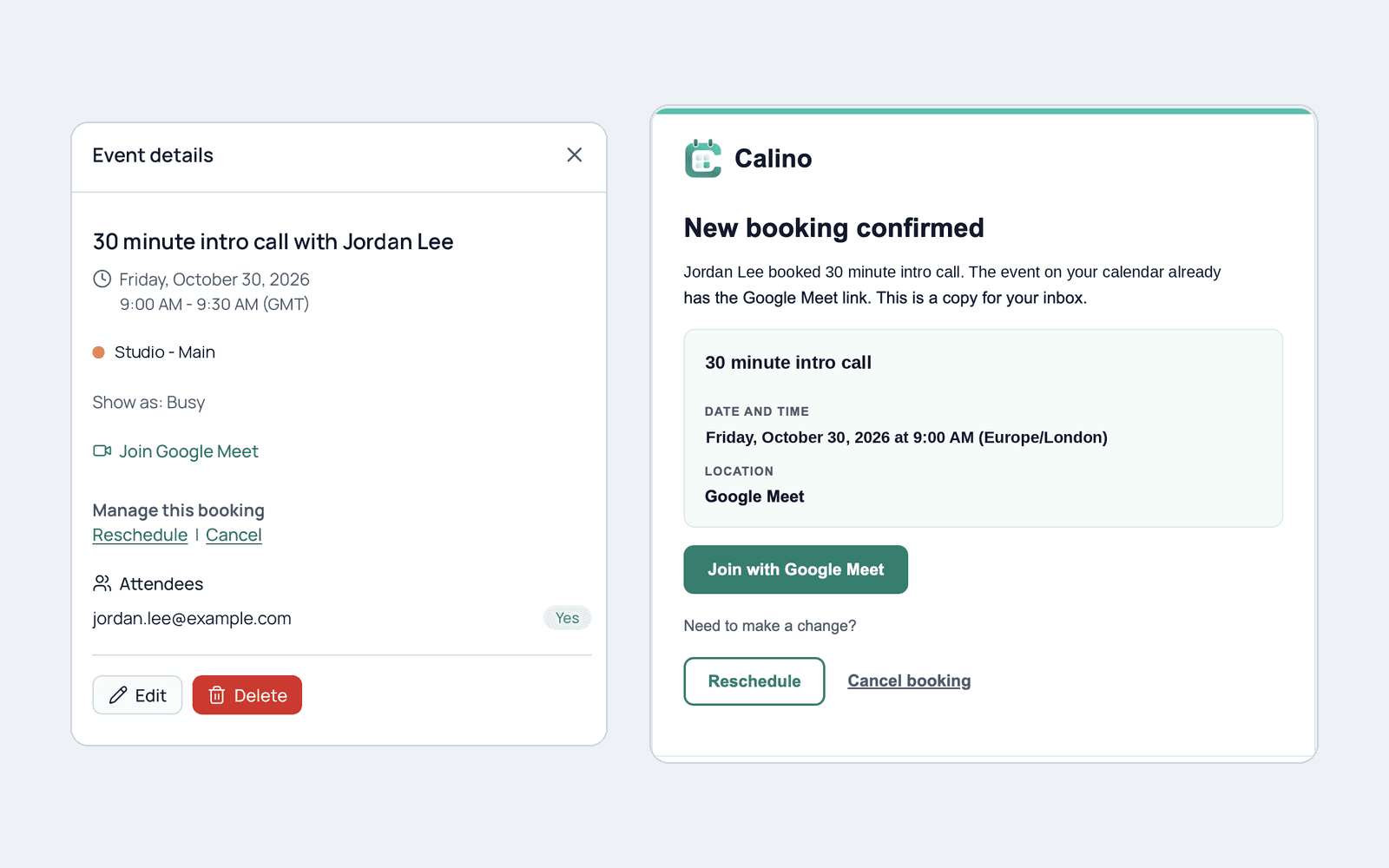
A Google Meet, Zoom or Microsoft Teams link is added automatically when a booking is confirmed, with no copying and pasting.
- Google Meet, Zoom and Microsoft Teams
- The link is in the calendar event and the confirmation email
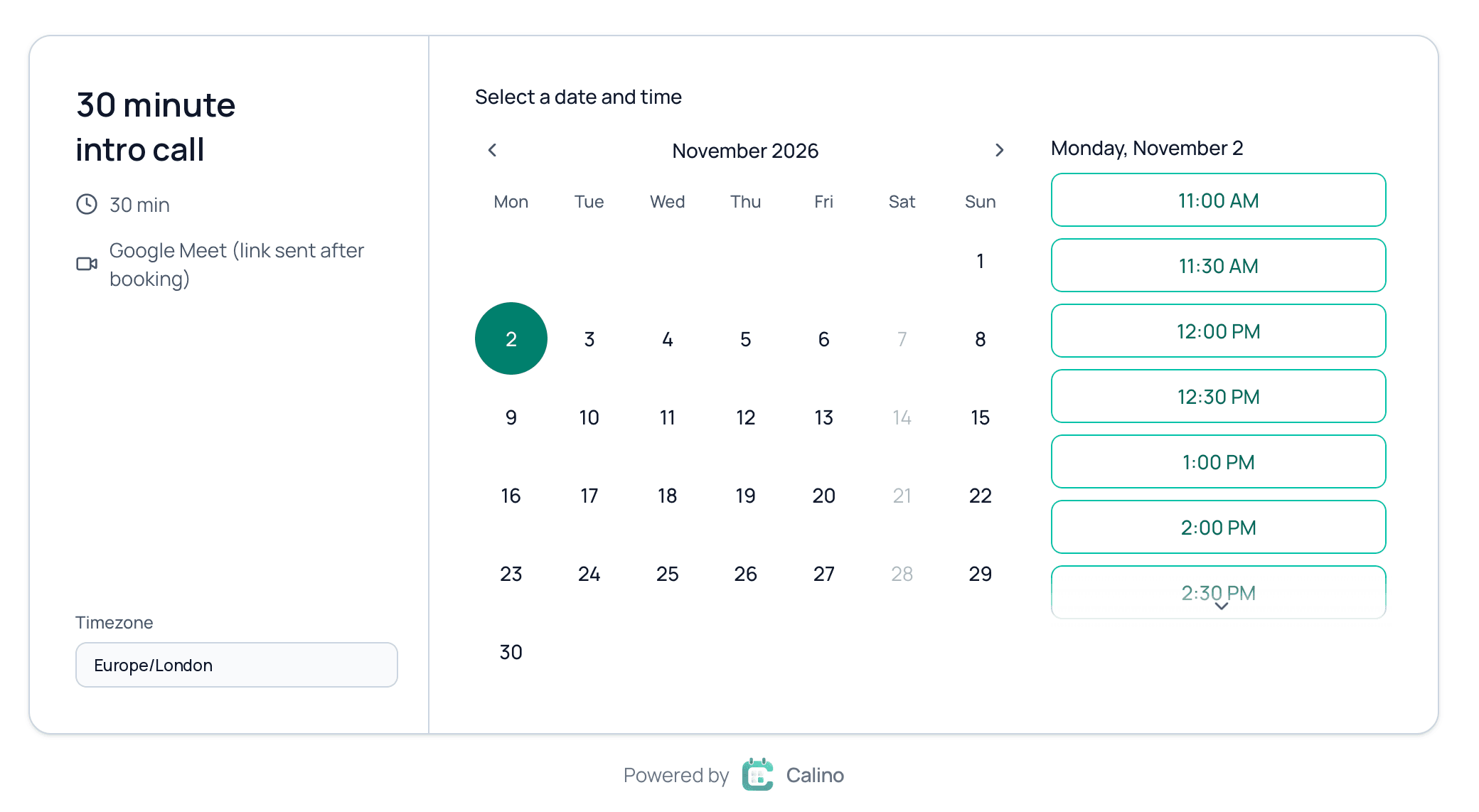
A booking page guests can use in seconds
Guests see only your free times in their own time zone and book in a few clicks. They don't need an account.
- Automatic time zones, with daylight saving handled
- No account needed to book
- Private by design: event details are never shown
- Custom questions on your booking form
- Your own logo and color on booking pages and booking emails (Standard)
- Reminder emails to your guests before the meeting (Standard)
One calendar at a time, or all of them
The difference shows up the first time two of your calendars disagree.
Checking a single calendar
- Only one account's events block your time
- Events on your other calendars get double-booked
- You block time by hand across calendars
- One set of rules for every link
With Calino
- Every connected Google and Microsoft calendar can block your time
- You choose which calendars count for each link
- Nothing to block by hand
- Different calendars and hours for every link
- Free plan, no card needed
- 14-day Standard trial, no card needed
- Cancel any time
- Only busy and free times are shared
- Your own calendars stay the source of truth
Pricing
Simple pricing
Start free. Try Standard for 14 days with no card, then decide.
Free
$0
For one calendar and a simple booking page.
- 1 Google or Microsoft account
- 1 synced calendar
- 1 booking link group
- 3 booking links per group
- Google Meet, Zoom and Teams links
Standard
Most popular$89.99
/ year$107.88 Save $17.89
That is $7.50 a month, billed yearly.
- Everything in Free, plus:
- Unlimited connected accounts
- Unlimited synced calendars
- Unlimited booking link groups and links
- Custom branding: your logo and color on booking pages and booking emails
- Reminder emails to your guests before the meeting
- 14-day free trial, no card needed
Team
$139.99
/ seat / year$167.88 Save $27.89
Per seat. That is $11.67 a month, billed yearly.
- Everything in Standard, plus:
- Team workspaces and booking pages
- Shared availability
- Members keep control of their own calendars
- Standard for every member, no trial
Prices are in US dollars.
Schedule together
Buy seats once, create as many teams as you need, and give each team booking pages that use everyone's real availability. Every person keeps their own calendars and decides which ones count.
- Meet with everyone at once, or let Calino pick the first free person, rotate fairly, or let guests choose a person
- Invite teammates by email, with admins and members
- Every seat includes Standard, billed per seat with no trial
Your calendars are never shared with the team. Guests only see times, never what is on a calendar.
FAQ
Frequently asked questions
- Calino is a scheduling app that connects Google Calendar and Microsoft Outlook accounts, shows them in one calendar, and gives you booking links that offer only the times you are free across all of them. It creates Google Meet, Zoom or Microsoft Teams meetings automatically.
- Google Calendar and Microsoft 365, Outlook and Exchange Online calendars. You can connect several accounts of each kind.
- When someone opens your booking link, Calino checks every calendar you chose for that link and hides any time that is busy on any of them.
- Yes. Each booking link has its own set of calendars checked for conflicts, so different links can use different combinations.
- Yes. Each link has its own destination calendar, separate from the calendars used to check availability.
- Yes. Calino uses two-way sync, and your connected calendars stay the source of truth.
- Yes. Available hours are set for each booking link, not once for everything.
- Yes. Times are shown correctly for you and your guest, including daylight saving changes.
- Yes. Google Meet, Zoom and Microsoft Teams links are created automatically when a booking is confirmed.
- No. Availability uses busy and free status only. Event titles, descriptions and attendees are never shown to work out whether a time is free.
- 1 connected Google or Microsoft account, 1 synced calendar, 1 booking link group and 3 booking links per group. Zoom and Teams connections do not count toward the account limit.
- Standard removes those limits, with unlimited accounts, calendars, groups and links, and adds custom branding (your own logo, color and name on your booking pages and the emails your guests receive) and reminder emails that go to your guests before the meeting. It costs $8.99 a month or $89.99 a year, in US dollars.
- Each workspace can start one 14-day Standard trial with no card needed. When it ends you move to the Free plan unless you subscribe.
- You keep Standard until the end of the period you paid for. If you then have more than Free includes, Calino asks what to keep active. Nothing is deleted, existing bookings keep working, and upgrading again restores everything.
- Yes. Open a booking link's Share dialog, choose the Embed tab and copy the snippet onto your own website.
- Yes. Team is billed per seat ($13.99 per seat per month or $139.99 per seat per year), and every seat includes Standard. You buy seats once, create as many teams as you like, and invite people by email. Team booking pages can meet with everyone at once, pick the first free person, rotate between people, or let the guest choose. Each person keeps their own calendars. There is no free trial for Team, but Standard has one.
- Calino is built and operated by K2 Labs (FZE), a company registered in Sharjah, United Arab Emirates.