
What happens when you go over plan limits
Last updated: October 20, 2026
If your plan changes to Free and you have more than it includes, Calino asks what to keep active. Nothing is deleted: anything you do not keep is locked, and upgrading again unlocks it.
The plan chooser
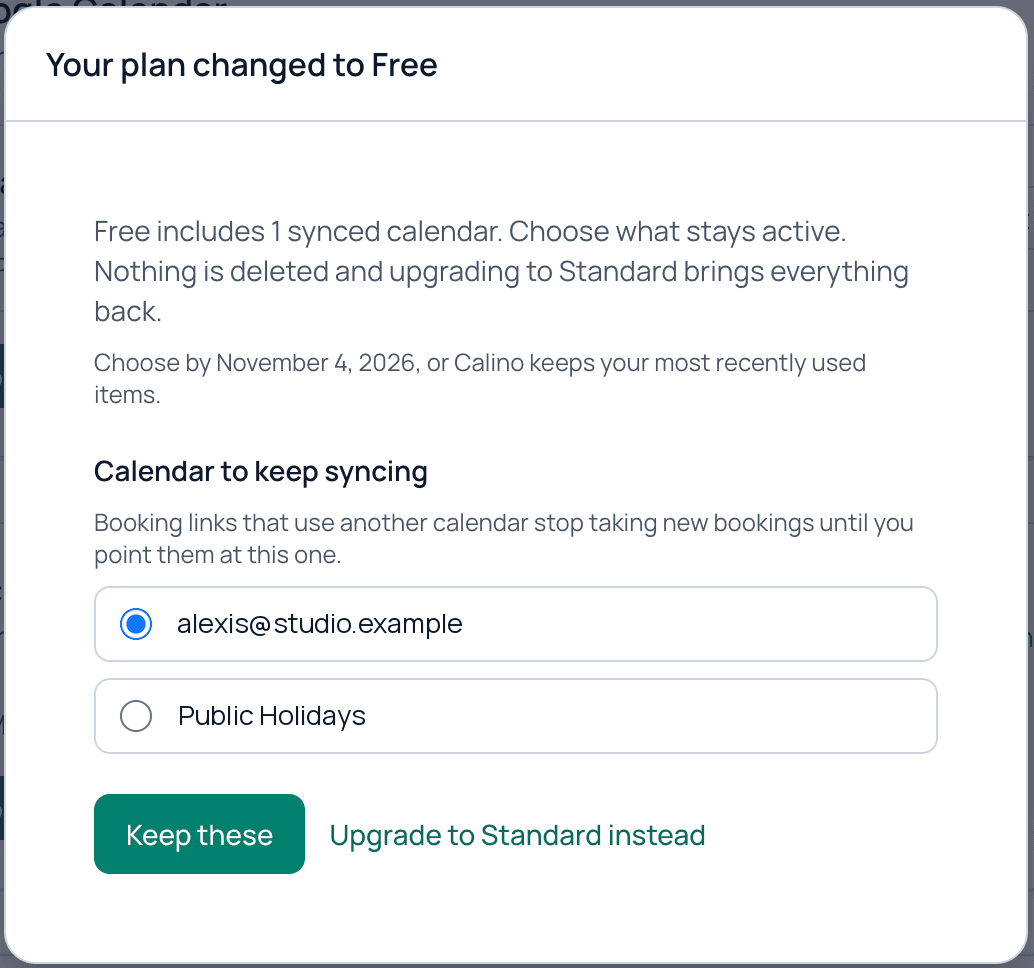
When a paid period ends and you are over the Free limits, a window titled Your plan changed to Free opens. It asks you to choose:
- Calendar account to keep and the Calendar to keep syncing.
- Booking link group to keep.
- Booking links to keep, up to 3.
Calino pre-selects the items you used most recently, and you can change the selection before confirming.
What locked means
- A locked calendar stops syncing, and booking links that use it stop taking new bookings.
- A locked group or link stops taking new bookings.
- Existing bookings keep working, and guests can still reschedule or cancel them.
- Nothing is deleted.
Where you can see locks
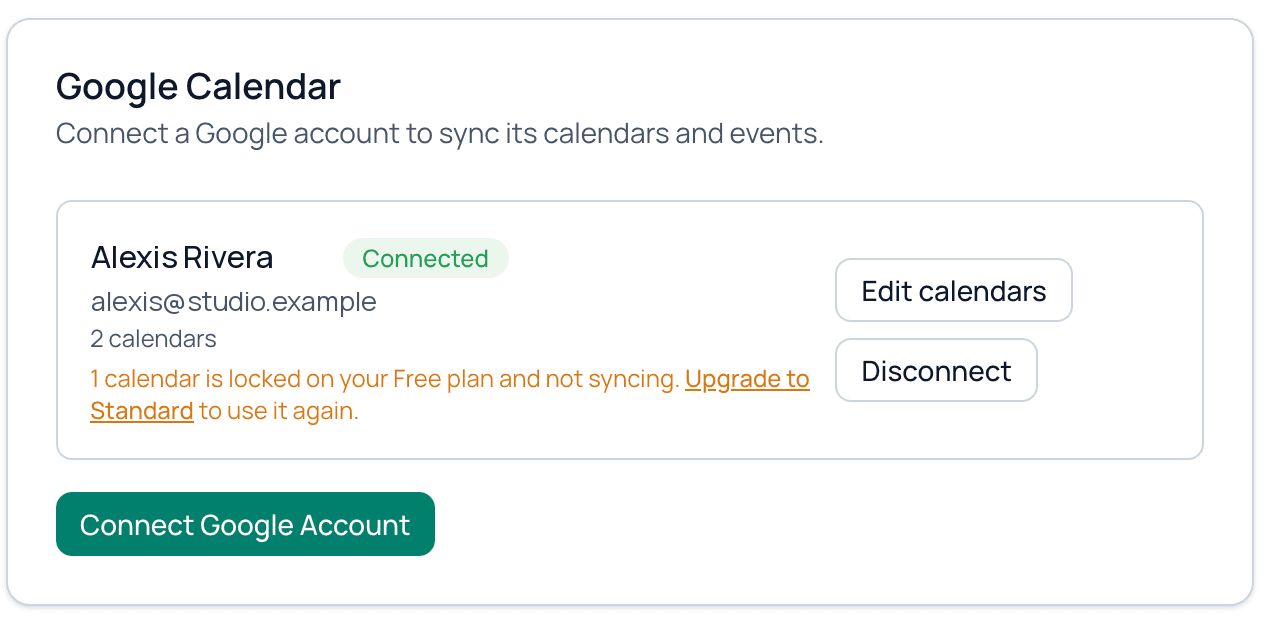
The Integrations page shows how many calendars are locked on your Free plan and not syncing. The Booking Links page shows when a group or link is locked.
Unlock everything
Open Settings, then Billing, and click Upgrade. Locked accounts, calendars, groups and links are restored.
Related guides
Still need help?
Send us a message and we will get back to you.
Contact us